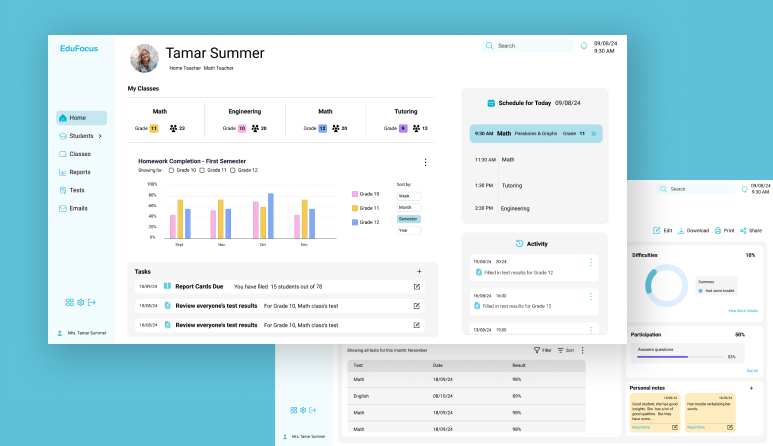
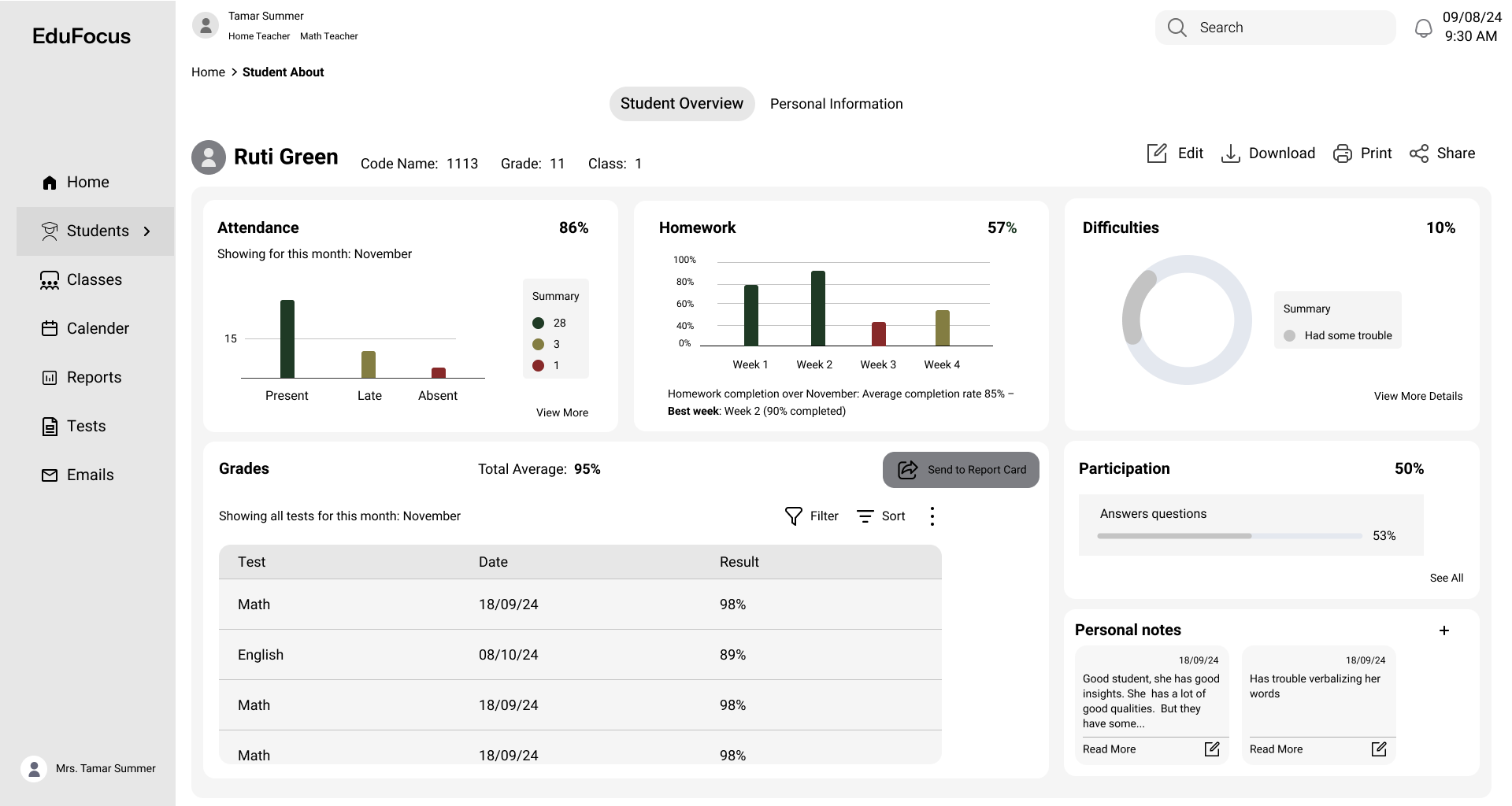
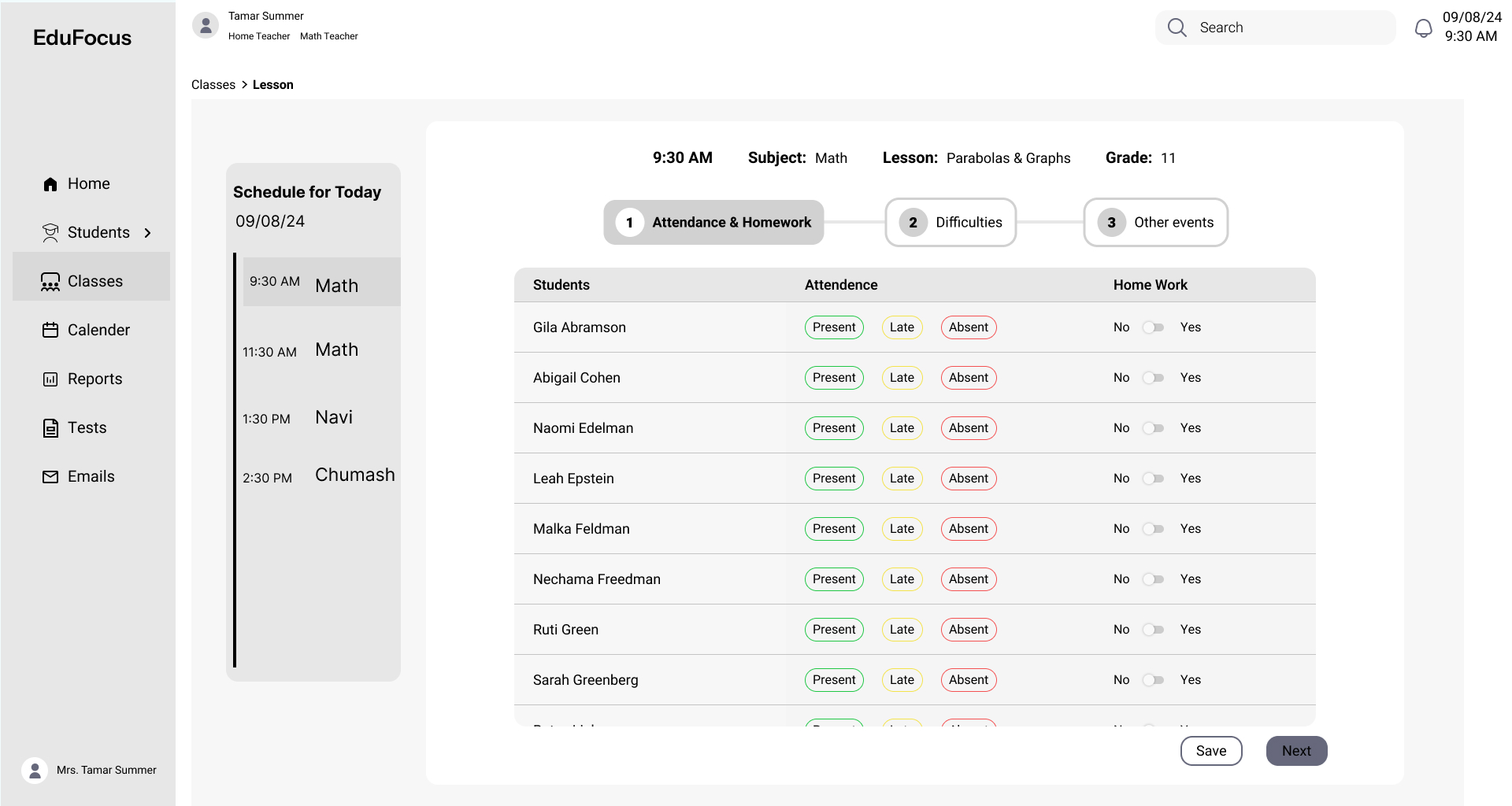
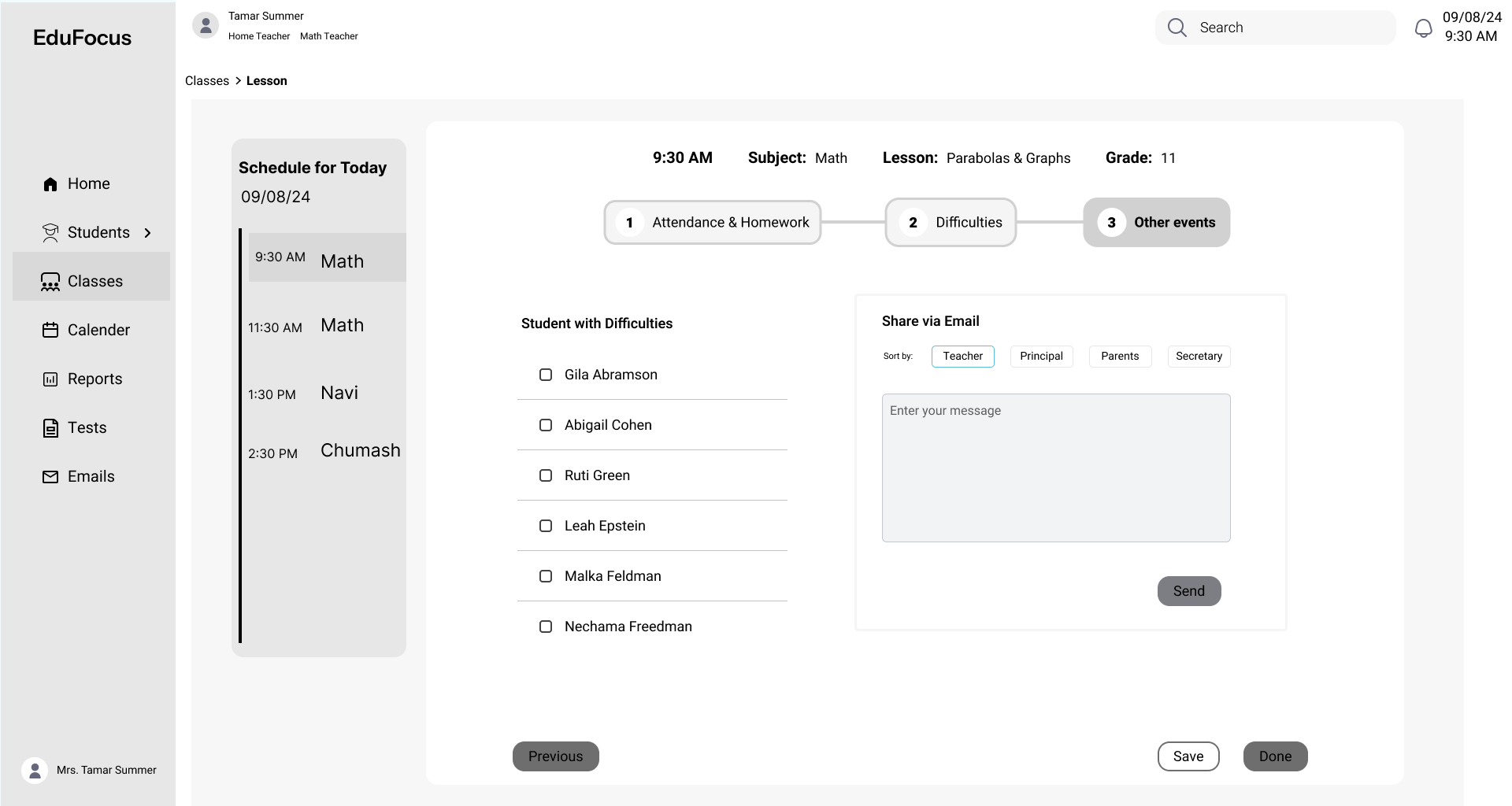
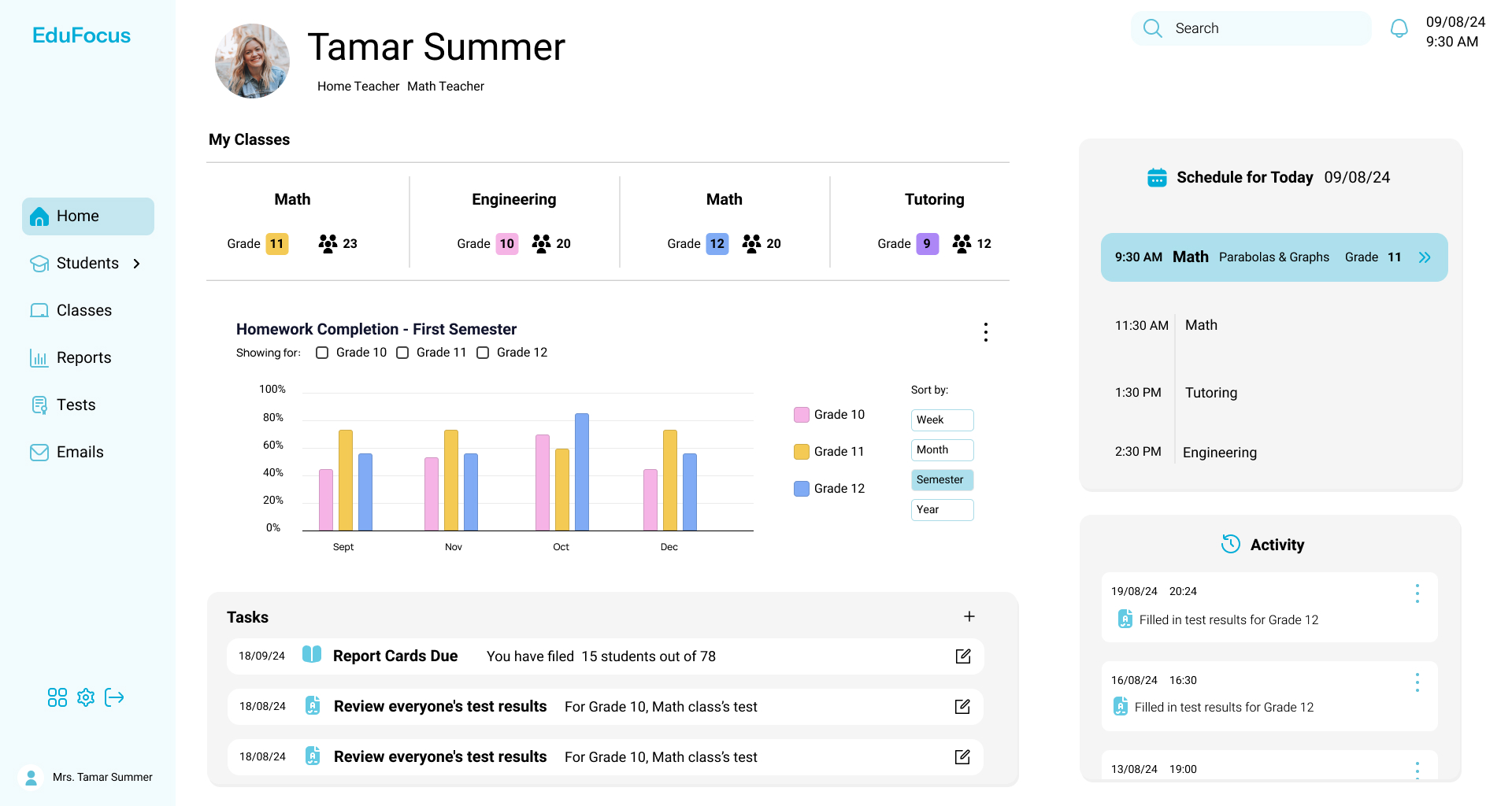
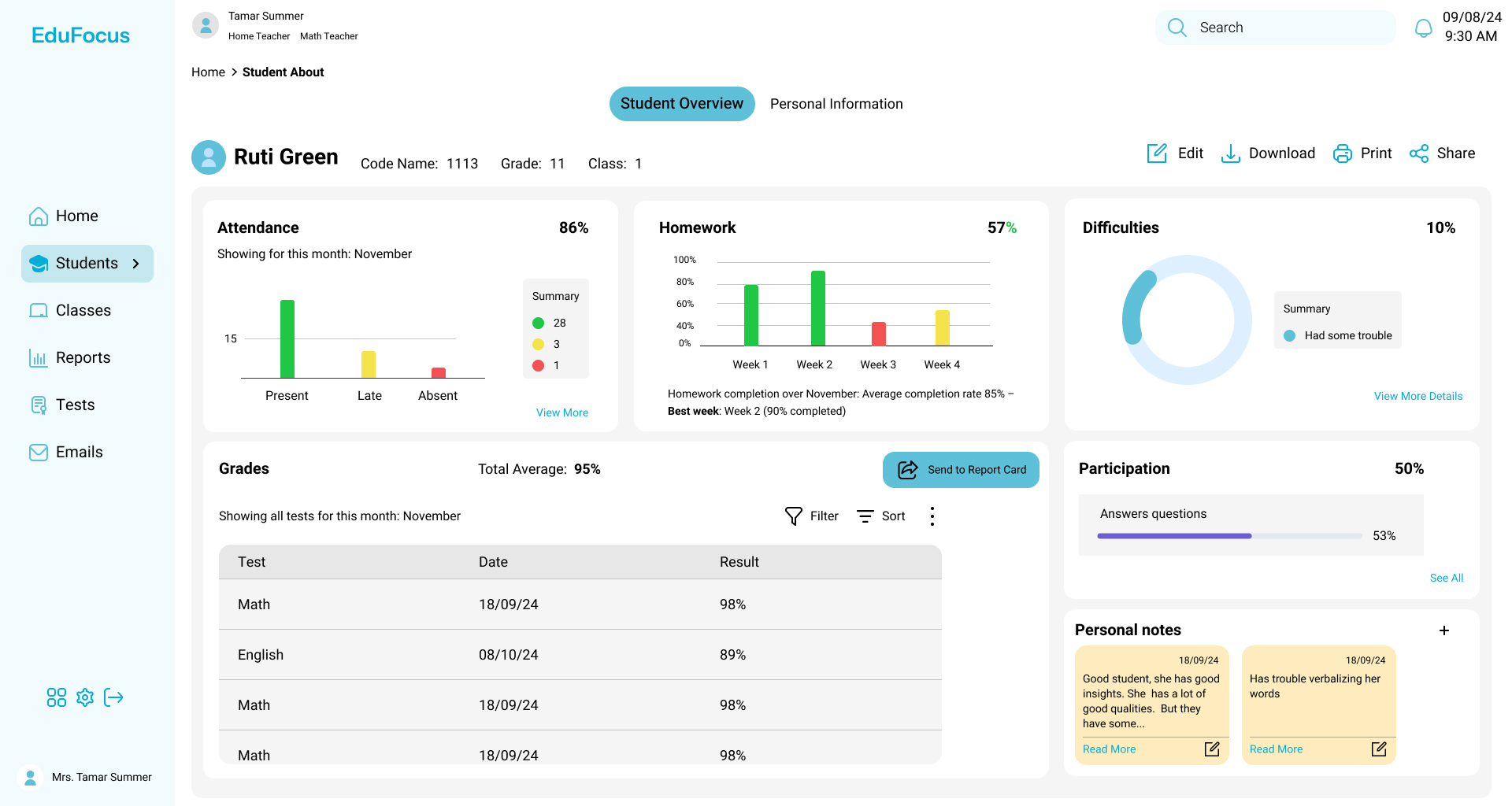
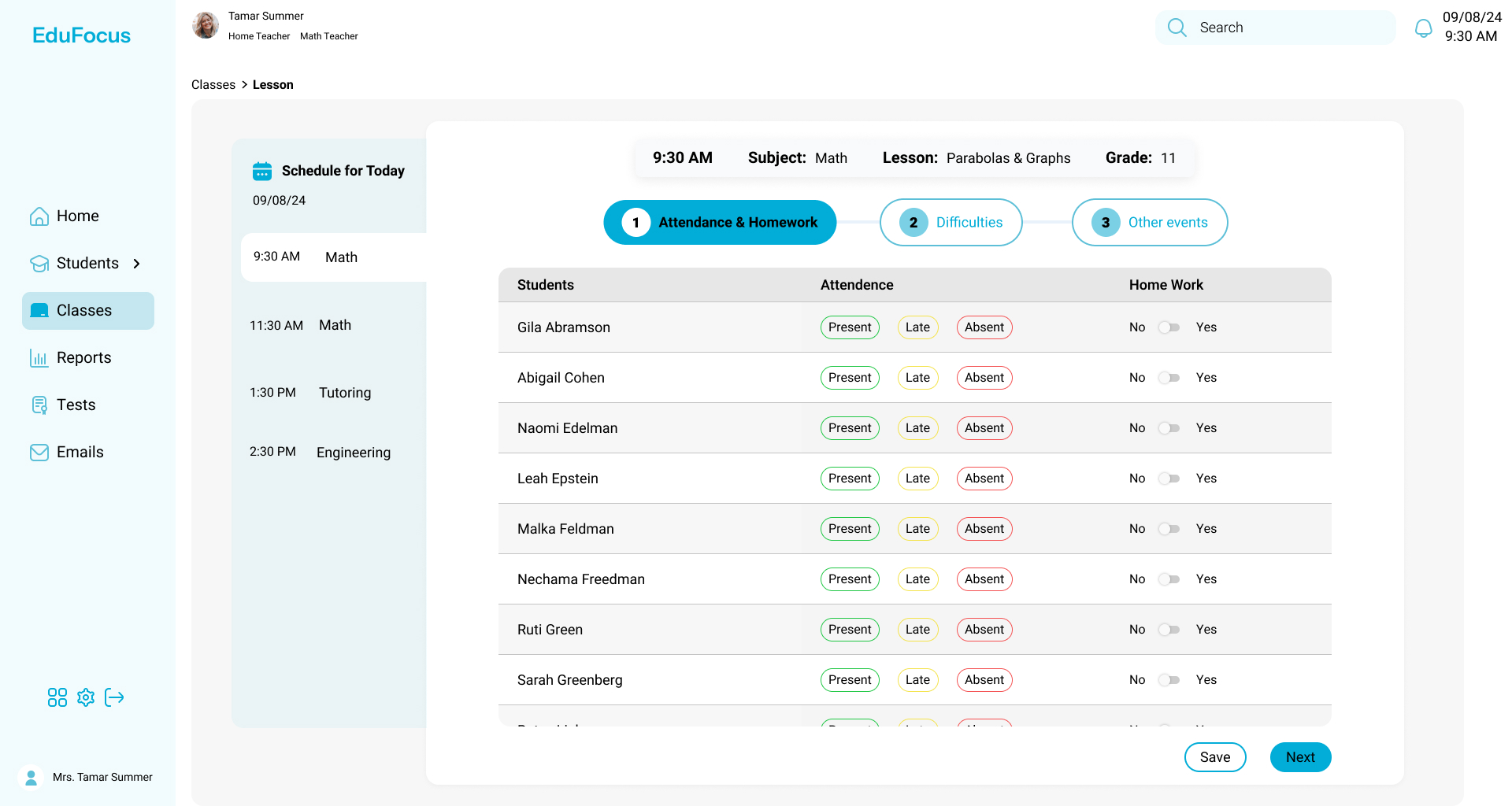
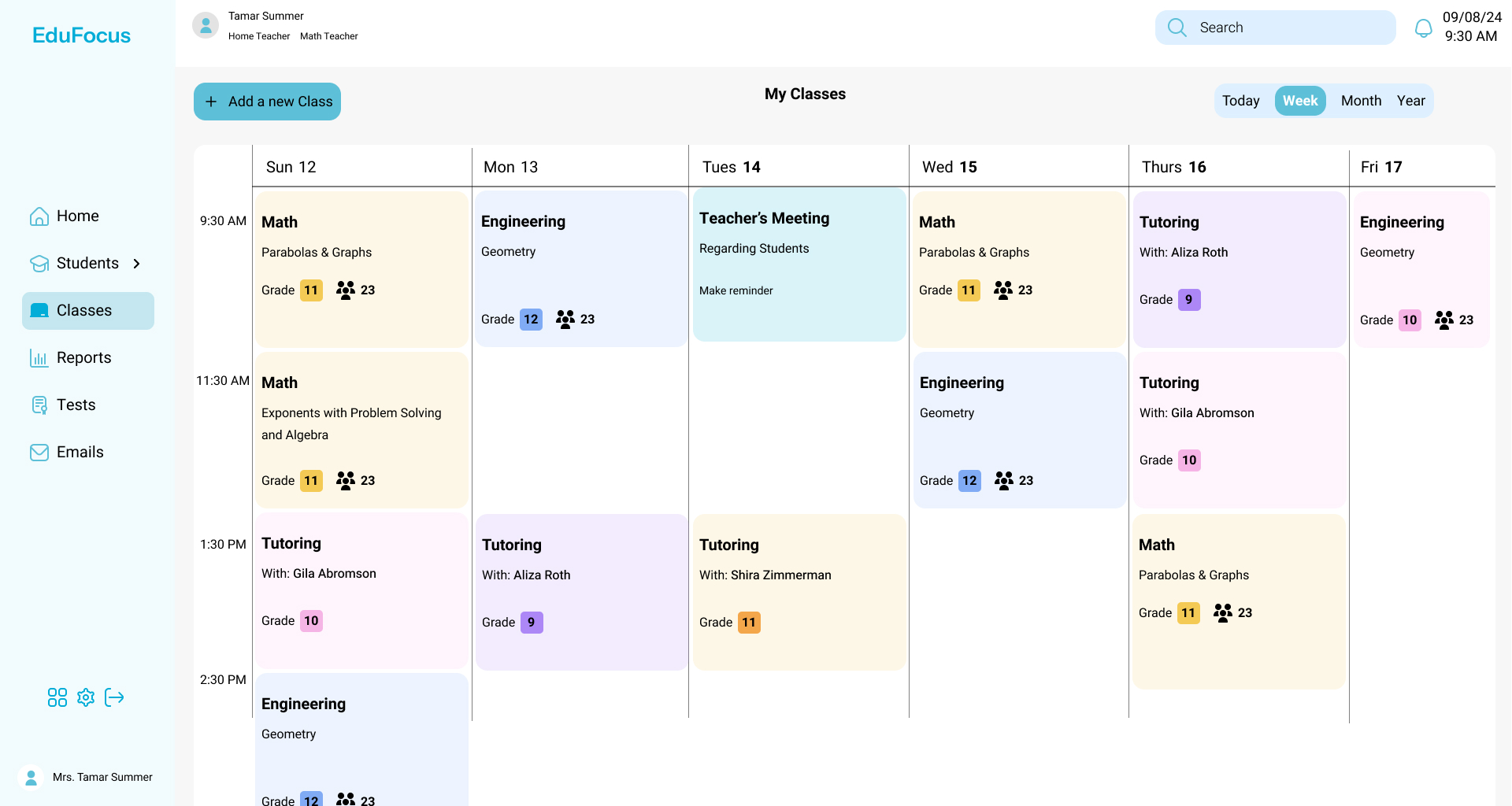
EduFocus is a Learning Management System (LMS) that helps teachers track students across academics, attendance, and behavior, all in one place.
Designed to simplify day-to-day technical tasks, EduFocus gives teachers quick, organized access to key student data, so they can spend less time managing systems and more time teaching.
Problem
Teachers are responsible for tracking grades, attendance, behavior, and student progress. Traditional systems often make this overwhelming—with cluttered interfaces, disorganized information, and slow, inefficient workflows.
Solution
EduFocus saves teachers time by centralizing student information and simplifying daily tasks. With a clean, organized dashboard, it streamlines class management so teachers can view and update essential student data in just a few clicks, reducing stress and improving efficiency.
Market Research
I researched popular LMS platforms like Moodle and Mashov to understand their strengths and weaknesses. Their dashboards are for managing classes and other aspects of educational work.
Here were my key findings:
Tasks were often too complex
Interfaces were cluttered and hard to navigate
Long learning curves slowed adoption
User Study
I surveyed teachers about their daily workflows and how they use use management systems.
What I Learnt
These are the main takeaways from my research that helped shape the dashboard design.
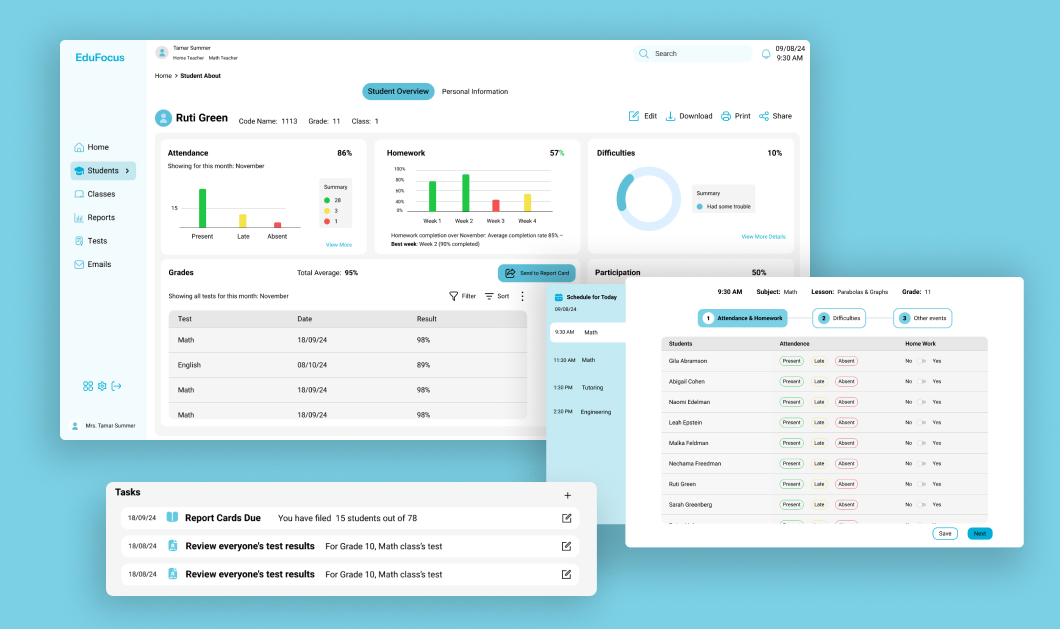
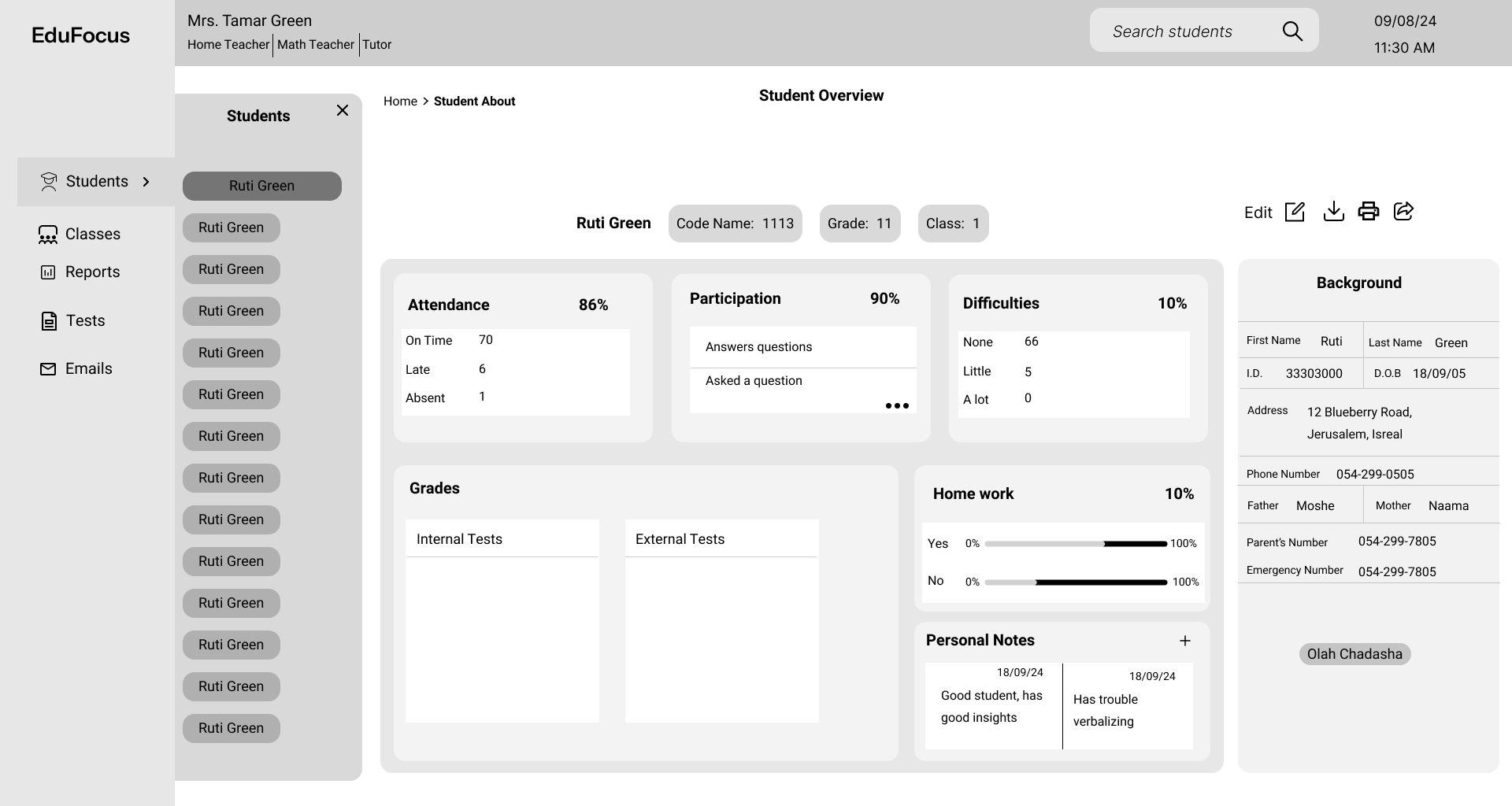
Provides an easily accessible overview of each student’s information, including grades, reports, and attendance.
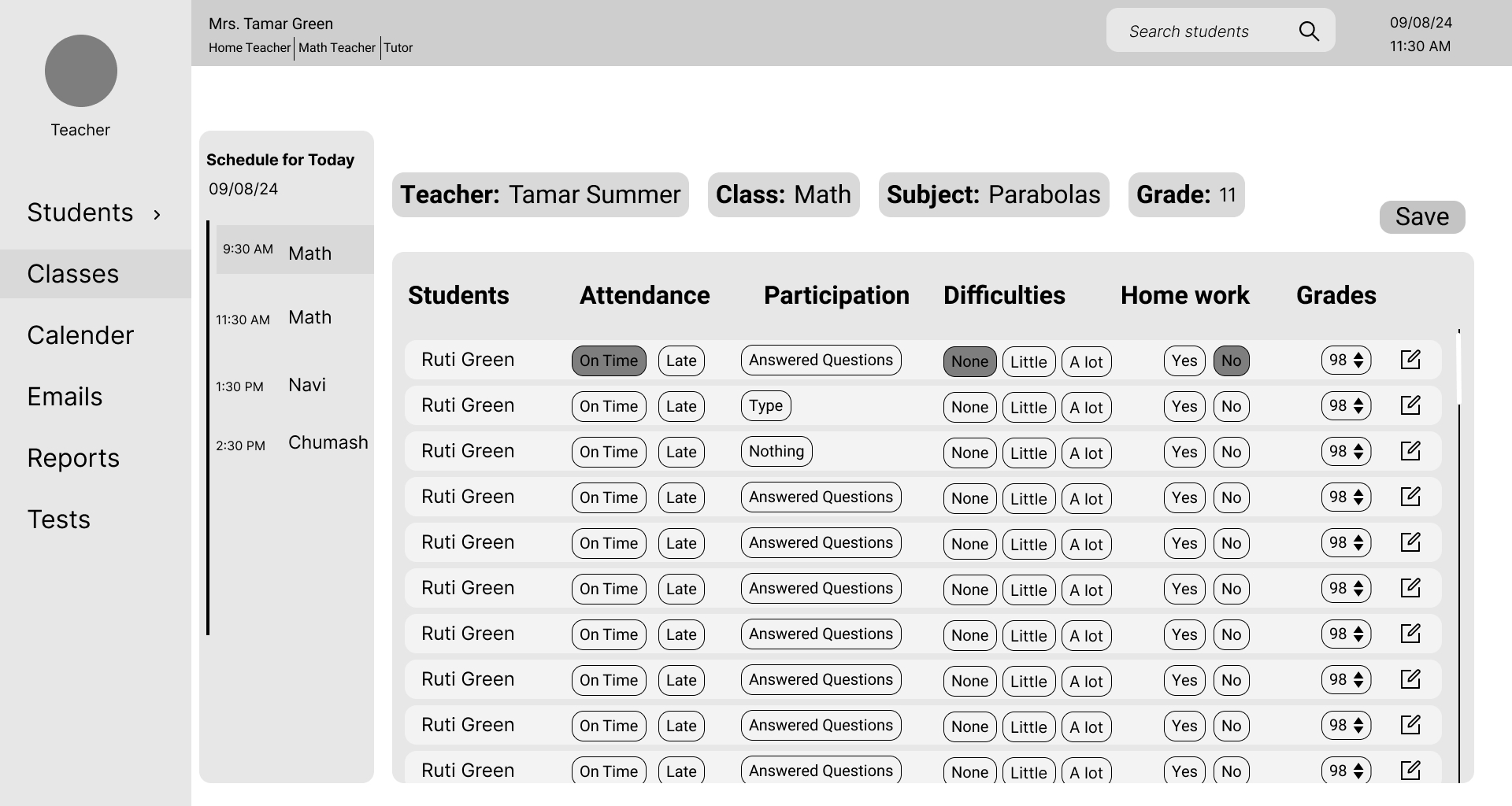
Saves automatically (includes option for a manual save)
Organized and clean.
Fast and direct steps.
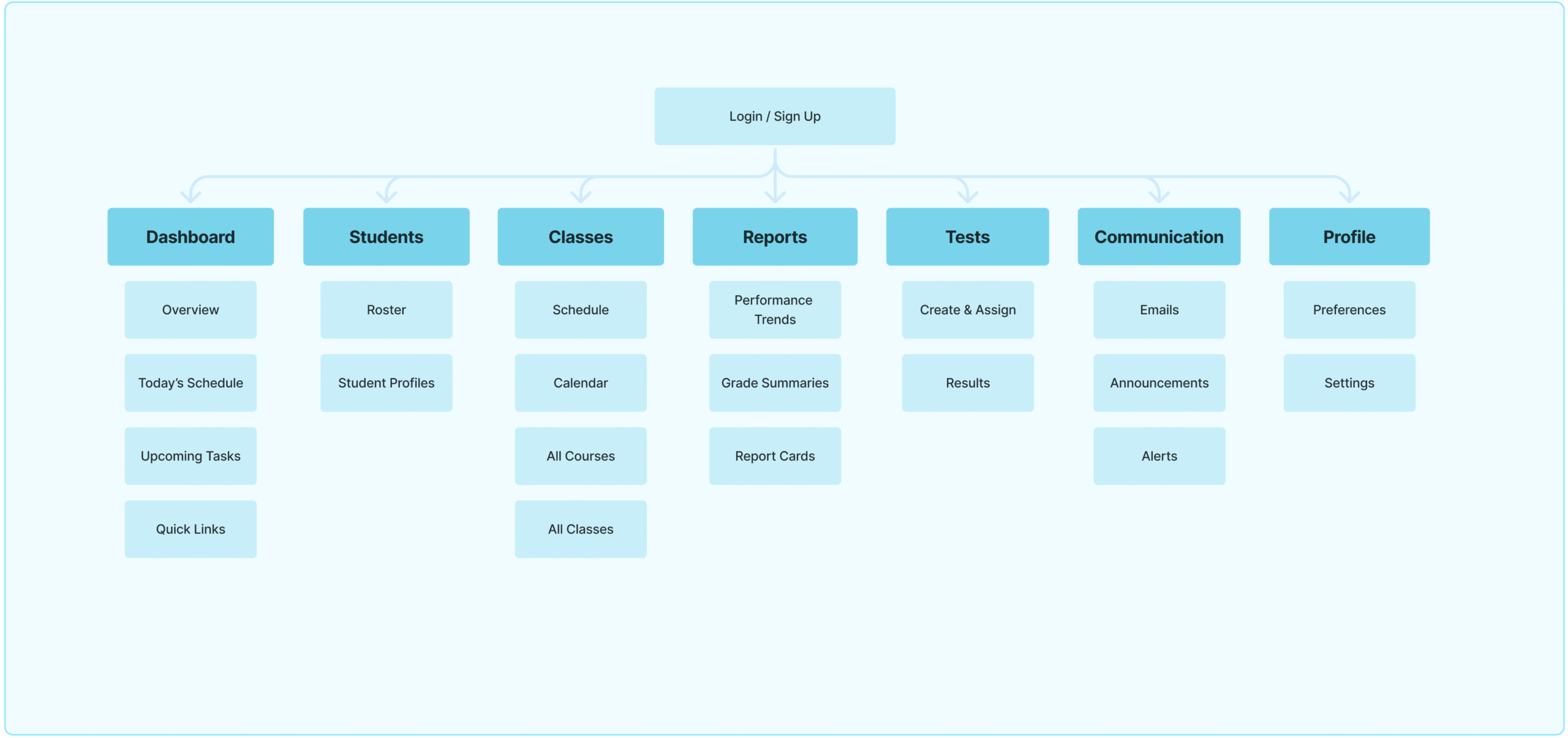
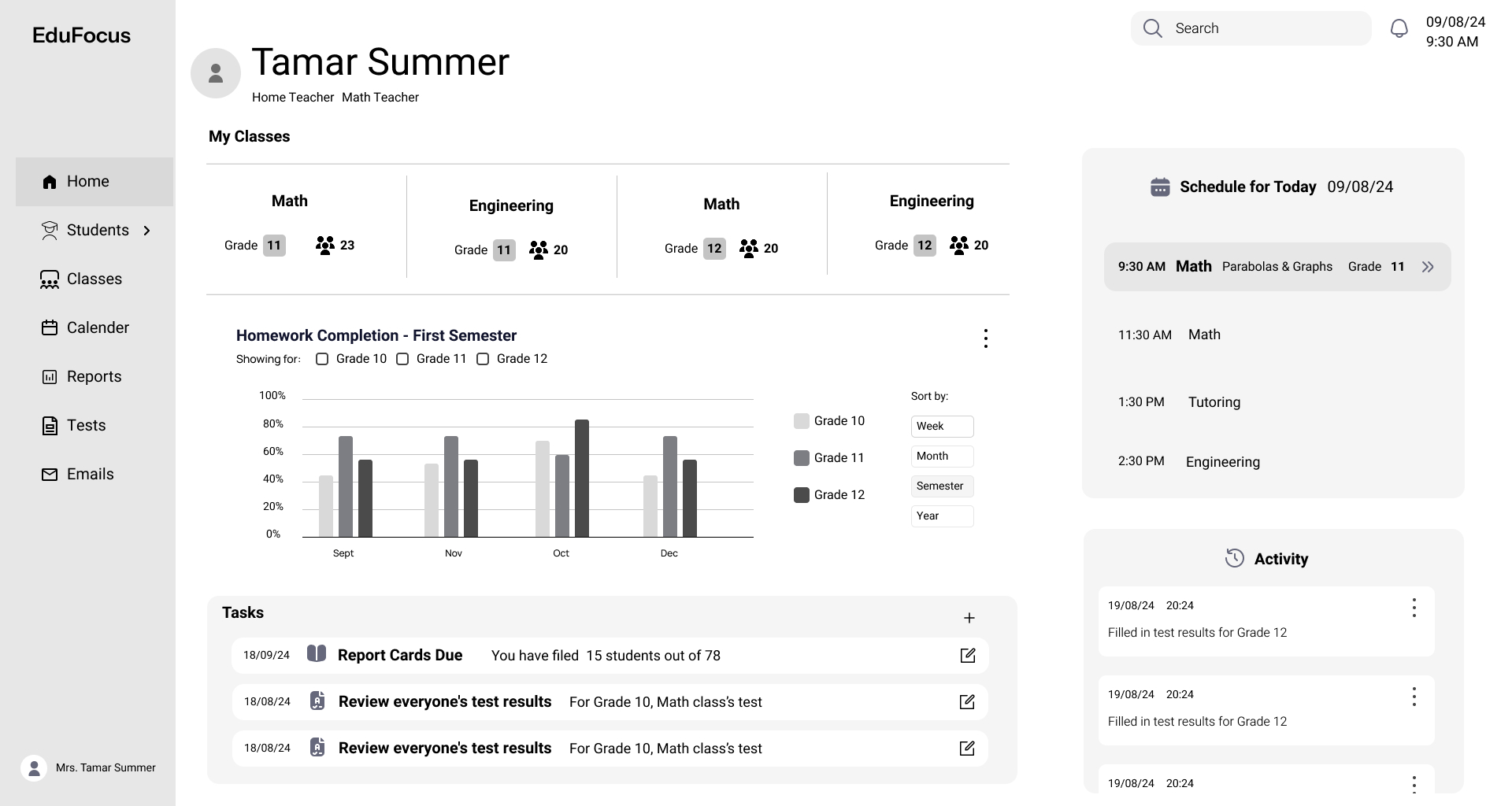
Information Architecture — Teacher's Dashboard
Based on my research and user insights, I created a dashboard that prioritizes clarity, accessibility, and speed.
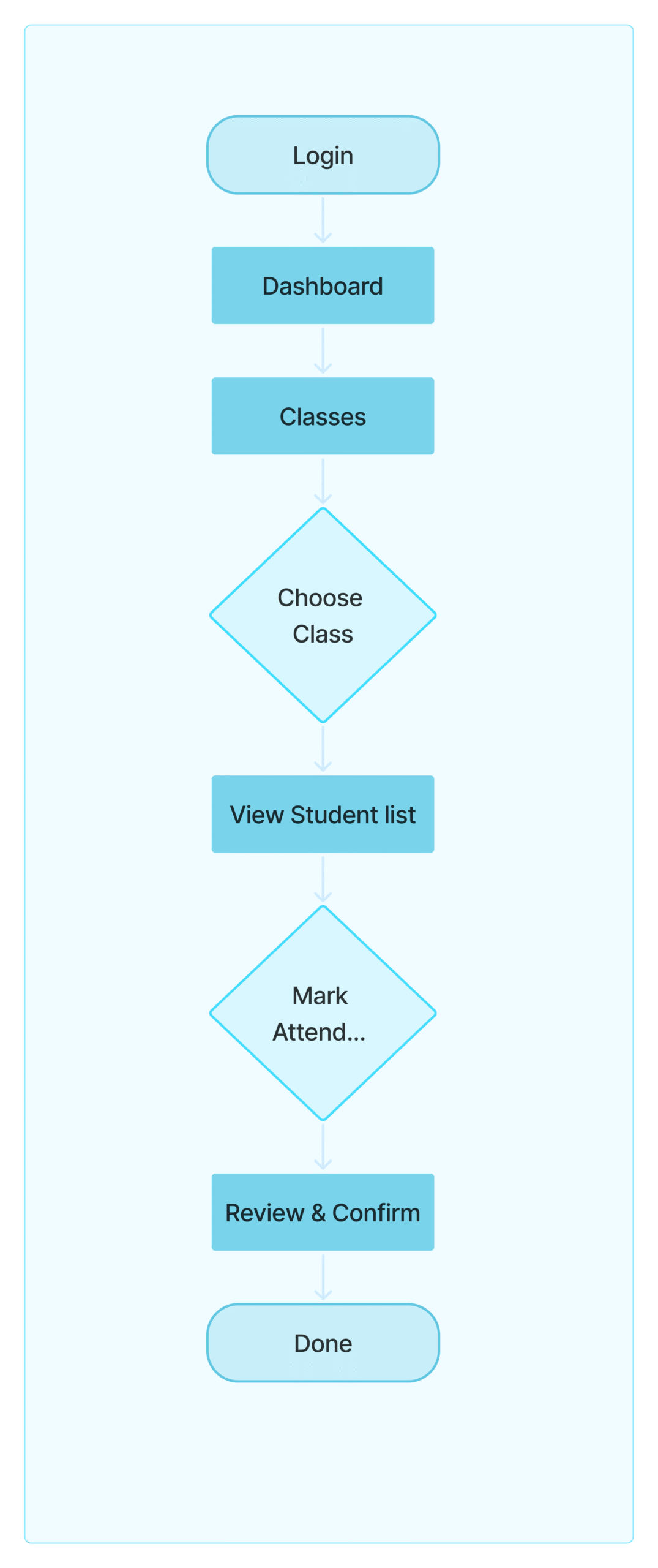
User Flow
Next, I mapped out the main flow, marking attendance. The goal was to keep it quick and easy, with minimal clicks and a smooth experience across the dashboard.
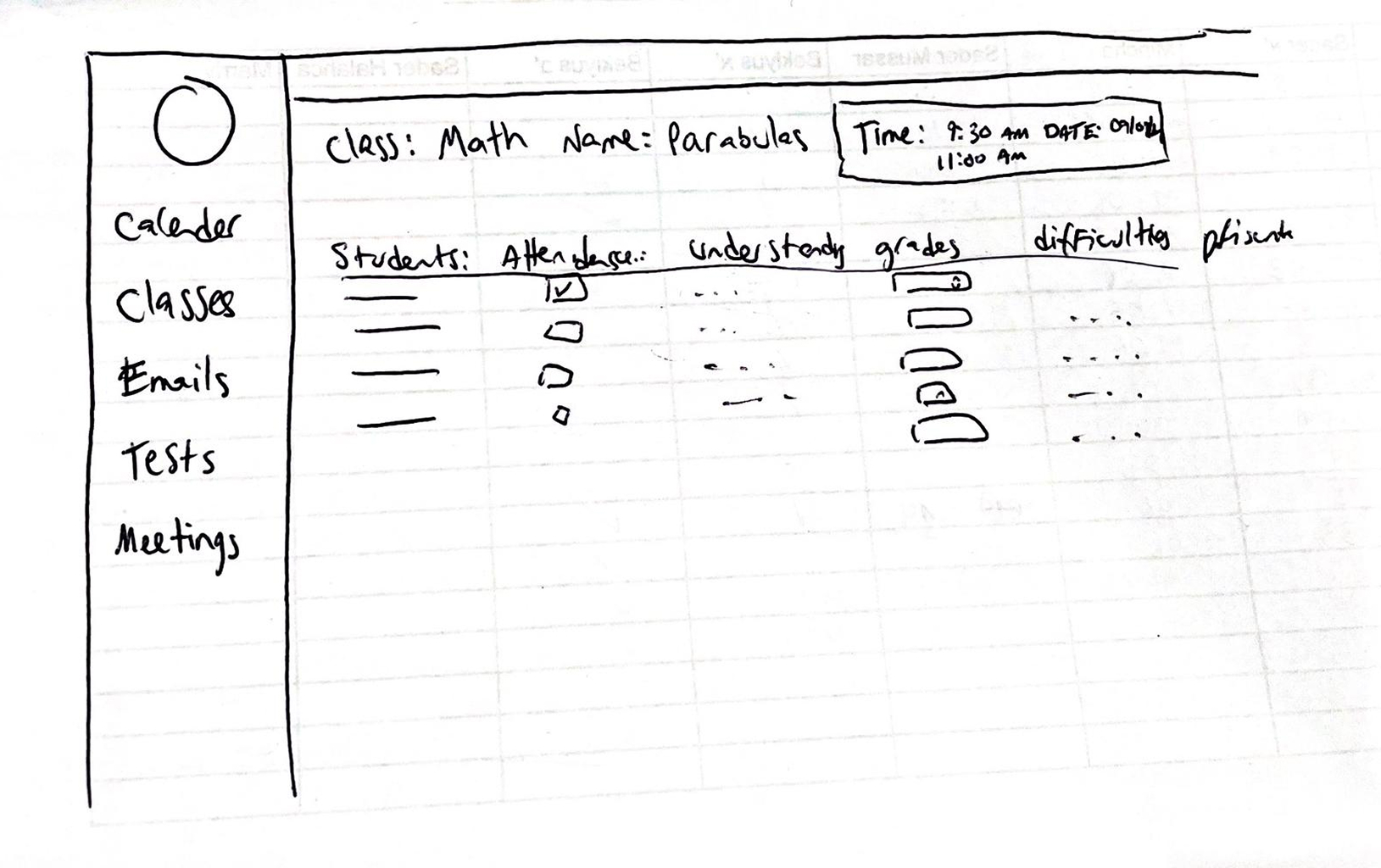
Begining Sketch & Wireframes
To start the design process, I sketched out initial ideas to explore layout, structure, and key features. These low-fidelity wireframes helped me focus on functionality and user flow before diving into detailed design.
I realized my first designs felt a bit cramped, so I decided to go for a cleaner, more open layout.
In the UI stage, I applied the color palette, refined spacing, and ensured consistency to create a clean, user-friendly interface
Final Notes
Here’s the link to my interactive prototype, feel free to look around and explore the flow!